WhatsApp Display Name Approval Guide
- 28 Feb, 2026
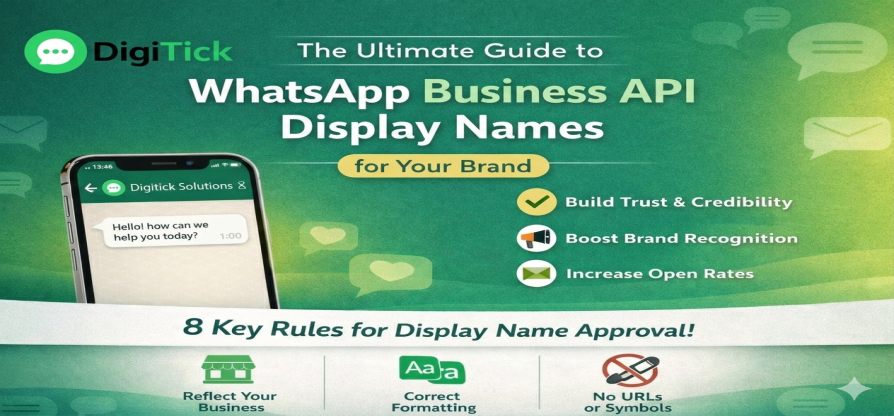
The Ultimate Guide to WhatsApp Business API Display Names for Your Brand
When someone uses WhatsApp to talk to your brand, the first thing they see is your WhatsApp Display Name. At Digitick, we know that how someone feels about you at first is very important.
If you choose a name that is strange or doesn't follow WhatsApp's strict rules, your account might be rejected, or worse, people might block you because they don't know who is messaging them. In this guide, we'll show you the most important rules and best practices for making a WhatsApp Business Display Name that gets approved quickly and builds trust right away.
Why Your Display Name Is Important
WhatsApp says that all display names must be directly related to your business and follow their rules for commerce and business. A good name makes sure that:
Brand Recognition: Customers know exactly who they are dealing with.
Trust and Credibility: The first step to getting that coveted Green Tick (Official Business Account) is to have a professional name.
Higher Open Rates: People are more likely to interact with a known entity than with a random number or an unknown name.
8 Important Rules for Getting Your WhatsApp Display Name Approved
Follow these rules for formatting and branding to get your name approved, which can happen in as little as 10 minutes:
Show who you are as a business
Your name must stand for your business, a certain department (like Digitick Support), or a certain product.
Don't use: A person's full name, general terms (like "Marketing"), or general places (like "London").
Do use: Your registered business name or a clear variation of it.
Pay Attention to Your Capitalization
Don't use all caps unless your brand is officially registered that way. Use the right way to capitalize words.
Incorrect: DIGITICK SOLUTIONS
Correct: Digitick Solutions
Pay Attention to the Space
Your display name's spacing should be the same as the spacing in your official branding. Adding extra spaces or taking away spaces that are needed can cause rejection.No Extra "Fluff" Words
Don't add words that aren't part of your brand name unless they describe a region or a function.
Accepted: Digitick UK and Digitick Sales.
Not Accepted: Digitick Official Account and Digitick #1 Agency.
Minimum Number of Characters
At least three characters must be in your display name. You might need to use "DX Solutions" if your brand is "DX" to meet the requirement.No symbols or URLs
Stay clean. Do not put in website URLs (like Digitick.com) or extra symbols, emojis, or punctuation marks like ™ or @.Being consistent is important
WhatsApp will look at your website and social media to make sure your name is correct. Your request for "Digitick Media" might be turned down if your website says "Digitick Digital Agency." Make sure that people can see your display name on other platforms.Clear Connection
Use the format "by [Business Name]" if you are branding a specific product under a parent company. (e.g., Digitick's SoftwareX).
How Users See Your Name
WhatsApp shows your business identity in two ways:
Normal Business Account: The first thing the user sees is your phone number. They can see your Display Name when they click on your profile.
Official Business Account (Green Tick): Even if the user hasn't saved your number, the Display Name will show up in the chat list and profile. This version has a green verified badge, which means it is completely trustworthy.
How to Change Your Name on Display
You can change your name in WhatsApp Manager if you need to:
In Facebook Business Manager, click on WhatsApp Accounts.
Choose Phone Numbers from the Account Tools menu.
Click the pencil icon next to your current name.
Type in the new name and send it in for review.
Note: You can change your name up to ten times in a 30-day period.
Start using Digitick
It can be hard to figure out how to use the WhatsApp Business API. Digitick helps businesses make their communication easier by setting up the API, getting display name approval, and deploying advanced AI chatbots.
Are you ready to get more people to talk to you? [Contact Digitick today] so we can check your brand on WhatsApp!
Questions and Answers
Q: How long does it take to get approval?
Most of the time, it takes between 5 minutes and 3 hours.Q: Why was my name turned down?
Most of the time, a name is rejected because it doesn't match the branding on your website or because it uses formatting that isn't allowed, like all caps or URLs.Q: Does the name on the display affect the Green Tick?
Yes! Pick your display name carefully because it will be next to the green badge.
Share this Blog
More Blogs

How WhatsApp CRM Tools Can Skyrocket Your Customer Engagement
In today’s fast-paced digital world, customer engagement is no longer a luxury — it's a necessity....
- 06 Feb, 2025